
Operation
Parking sessions in the PARQ system
Parking sessions within the PARQ System are created via the licence plate: the camera reads it on entry, and the session is closed on exit. Your parkers do not take a ticket, and no staff are needed on site. In the portal, you can follow every session live, with area, duration and payment status.
Parking sessions at a glance
The portal shows every parking session individually: licence plate, area, entry, duration and status. Open sessions are shown at the top, completed ones below.
Latest parking sessions
| Entry | |
|---|---|
| short stay | |
| Paid | |
| Due | |
| Authorised |
Entries per area · today
| Parking area | Occupancy |
|---|---|
| City Garage Centre | 88 % |
| Market car park | 71 % |
| Station car park | 64 % |
| City Garage basement | 88 % |
| P+R North | 38 % |
| Staff area | 55 % |
Now
Parking sessions day to day.
A parking session is the time between a vehicle's entry and exit, recorded via its licence plate. The camera at the entrance reads the licence plate and the system logs the time; on exit, the session is closed. These two timestamps produce the parking duration. In the portal, you see every session individually, with licence plate, area, entry, duration and payment status, plus, live, how many vehicles are currently on the area. For your parkers, this means: no ticket to take, nothing to carry, nothing to show. Whether the entrance stays open or a barrier opens makes no difference to the recording.
What is visible in the portal
The list of parking sessions shows every session with licence plate, entry, duration and payment status. Open sessions are shown at the top. Completed sessions are automatically deleted after a set period, as required by data protection law.
- Vehicles on the area, live
- Entry and parking duration per session with timestamp
- Open, paid and disputed sessions kept separate
- Each area individually or all together
When something does not add up
Not every session goes smoothly, for example an exit without payment or a maximum parking duration exceeded. The system recognises such cases automatically and flags them in the overview.
Anyone who has left without paying can pay online within 48 hours. After that, the case is automatically passed to the enforcement service provider as a violation, without anyone needing to intervene.
With a barrier, without a barrier, mixed
Capture is the same in both cases. Whether the entrance stays open (Free Flow) or a barrier opens is something you set per area. Mixed forms are also common: visitors park freely, while a separate zone stays behind the barrier.
Further functions
- Revenue per area and payment source
- Outstanding receivables in view
- Violations recorded automatically
- Automatically transmitted to your service provider
- Whitelist individually, as a group or by list
- Authorisations for an occasion
- Tariffs per area and time window
- Free parking periods and special rules
- Night, weekend and monthly tickets with a fixed term
- Valid for the areas you define, with period and capacity if desired
- Your own rules for each area
- Utilisation per zone
- Peak times, parking duration and much more
- Raw data export as JSON, XML, CSV, Excel or PDF
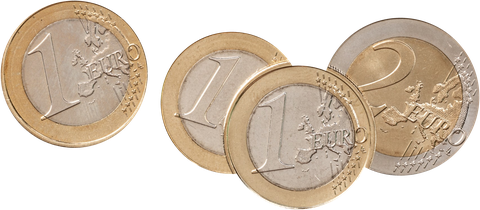
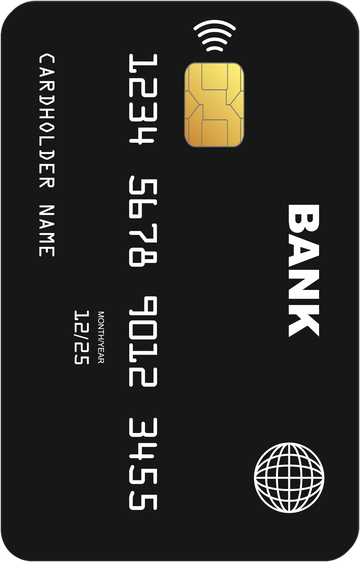
- At the pay station: card, contactless or Apple/Google Pay, and with the PARQ Automat A2 cash too
- Via app or QR code
- Authorisation via QR code and charging receipt
- Your rule for people charging
- At a tablet on site, e.g. at reception
- With a disability card via QR code
- Connecting existing barriers and roller doors instead of replacing them, as far as the controls allow
- Open REST-API, fully documented
- Full logo, small logo and favicon
- Your own colours and your own typeface
- GDPR-compliant
- Encrypted transmission
Your parking system. Your rules.
Ready at a click.
Parking sessions: common questions.
The camera at the entrance reads the licence plate and the system records the time. On exit the camera reads again and the session is closed. The two timestamps give the parking duration, and tariff, payment and reporting build on that. Nobody needs a ticket for it.
Yes. The number of vehicles on the area is shown in the portal and updates continuously, per area and across all areas together. In addition you see the course of the day, that is when it fills up and when the area empties. On this basis tariffs and time windows can be adjusted.