
Operation
Payments & receivables in the PARQ system
Payments & receivables brings together the income from all areas in one view: revenue, payment methods and open receivables, live and by area. Every payment is linked to its parking session, whether paid at the pay station, via app, by QR code or online afterwards. You see open amounts straight away, instead of gathering figures from several systems.
Payments & receivables at a glance
The view shows what has been taken on which area, which payment method it came through and which receivables are still outstanding.
Revenue
LiveRevenue by weekday in €
Revenue per area · today
| Parking area | Revenue |
|---|---|
| City Garage Centre | 381 € |
| Market car park | 194 € |
| Station car park | 161 € |
| P+R North | 56 € |
| City Garage basement | 0 € |
| Staff area | 0 € |
Payments & claims in everyday use.
In the payments section, you see what your parking areas are earning, in one view across all areas and payment methods. Every payment is linked to a parking session, so you can trace whether payment was made at the pay station, via a parking app, by QR code or online afterwards, and how this is distributed across the week. Turnover, payment methods and outstanding claims are shown per area and across all areas combined, live in each case. Anyone who exits without paying creates an outstanding claim: you see how many there are and what happened to them: payment can be made online for 48 hours, after which it automatically becomes a violation. For accounting, you export the figures as a file or pass them to your own system via an interface, instead of typing them out by hand. And because each area can be evaluated individually, you also see which location accounts for which share of turnover.
Revenue per area and payment method
Every payment is assigned to a parking session. This makes it possible to analyse whether payment is made at the pay station, via an app or online afterwards, and how that differs per area. That is the basis for installing pay stations where they are needed.
- Revenue today, this month and compared with the previous month
- Breakdown by pay station, app, online and subsequent payment
- Separated per area, exportable for billing
Outstanding receivables in view
Anyone who leaves without paying creates an outstanding claim and can pay online within 48 hours. You can see how many claims are outstanding and what became of them. If no payment is received by then, it automatically becomes a violation, which goes to the enforcement service provider; the contractual penalty you have set then applies.
Incoming payments are assigned to the session, and the receivable closes itself as a result.
Further functions
- Vehicles on the area, live
- Every parking session with entry and parking duration
- Violations recorded automatically
- Automatically transmitted to your service provider
- Whitelist individually, as a group or by list
- Authorisations for an occasion
- Tariffs per area and time window
- Free parking periods and special rules
- Night, weekend and monthly tickets with a fixed term
- Valid for the areas you define, with period and capacity if desired
- Your own rules for each area
- Utilisation per zone
- Peak times, parking duration and much more
- Raw data export as JSON, XML, CSV, Excel or PDF
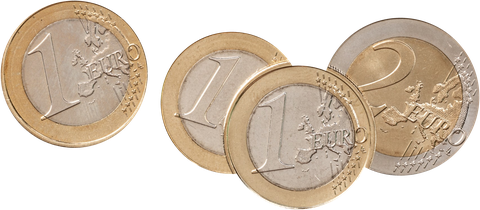
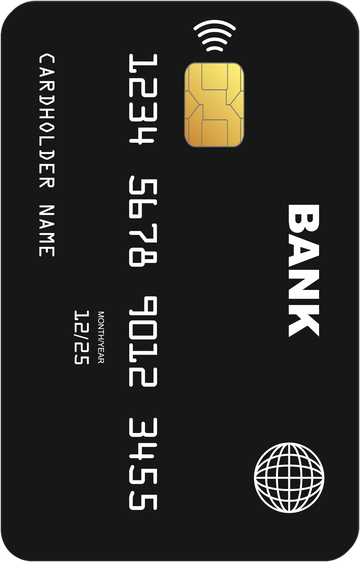
- At the pay station: card, contactless or Apple/Google Pay, and with the PARQ Automat A2 cash too
- Via app or QR code
- Authorisation via QR code and charging receipt
- Your rule for people charging
- At a tablet on site, e.g. at reception
- With a disability card via QR code
- Connecting existing barriers and roller doors instead of replacing them, as far as the controls allow
- Open REST-API, fully documented
- Full logo, small logo and favicon
- Your own colours and your own typeface
- GDPR-compliant
- Encrypted transmission
Your parking system. Your rules.
Ready at a click.
Payments & receivables: common questions.
Yes. Revenue, payment methods and outstanding receivables can be viewed per area and summarised across all areas. Because every payment is tied to a parking session, it is also traceable how an amount came about. For reports you export the figures or pass them on via an interface.
The session remains as an open claim, with licence plate, area, period and amount, and the parker can pay online within 48 hours. If nothing comes in by then, it automatically becomes a violation and goes to your enforcement service provider. The contractual penalty you have set applies.
Yes. For accounting there is the export as a file, in several formats if desired, and for continuous transfers the interface into your own system. That means nobody has to type figures out, and accounting works with the same values that are in the portal.